Self-Hosting AI: Running Whisper Locally on Mac and Windows


Running AI models locally used to be a niche pursuit for ML engineers. But with tools like Whisper, Ollama, and modern GPU hardware, self-hosting AI is practical for everyday developers. Here's how to set up local Whisper transcription on Mac and Windows.
Why Self-Host AI?
- Privacy: Your data never leaves your machine
- Cost: No API fees, no rate limits
- Reliability: No outages, no rate limiting
- Learning: Understanding how AI actually works
Mac Setup (Apple Silicon)
Option 1: whisper.cpp (Fastest)
# Install
brew install whisper-cpp

# Download a model (base is good for most use cases)
curl -L -O https://huggingface.co/ggerganov/whisper.cpp/resolve/main/ggml-base.en.bin

# Transcribe
whisper-cpp -m ggml-base.en.bin -f audio.mp3 --output-txt
whisper.cpp uses Metal acceleration on Apple Silicon. On my M2 MacBook Pro, I get ~10-20x realtime transcription speed.
Option 2: Python + Whisper (Easier API)
# Install
pip install openai-whisper

# Use
whisper audio.mp3 --model base --language en
This uses PyTorch with Metal backend. Slower than whisper.cpp but more flexible.
Option 3: Ollama with Whisper
Ollama recently added Whisper support:
# Install
brew install ollama

# Pull and run
ollama pull whisper
ollama run whisper audio.mp3
Windows Setup
GPU Acceleration
For best performance, you need NVIDIA CUDA or AMD Vulkan:
- NVIDIA: Install CUDA toolkit, use whisper.cpp with CUDA support
- AMD/Intel: Use whisper.cpp with Vulkan support
Option 1: whisper.cpp
# Download pre-built binary
# https://github.com/ggerganov/whisper.cpp/releases

# Download model
Invoke-WebRequest -Uri "https://huggingface.co/ggerganov/whisper.cpp/resolve/main/ggml-base.en.bin" -OutFile "ggml-base.en.bin"

# Transcribe
.main.exe -m ggml-base.en.bin -f audio.mp3 --output-txt
Option 2: Python + Whisper
# Install Python 3.11+ if needed
# Then:
pip install openai-whisper

# Run
whisper audio.mp3 --model base
Model Selection Guide
| Model | Size | Speed | Accuracy | Use Case |
|---|---|---|---|---|
| tiny | 39MB | Fastest | Good | Real-time, quick notes |
| base | 74MB | Fast | Better | Default choice |
| small | 244MB | Medium | Great | When accuracy matters |
| medium | 769MB | Slower | Excellent | Professional use |
| large-v3 | 1.5GB | Slowest | Best | Maximum accuracy |
For meetings, base or small is usually sufficient. I use base.en (English-only) for faster processing.
Integration Tips
Voice Activity Detection (VAD)
Don't transcribe silence. Use Silero VAD to detect speech:
import torch

model, utils = torch.hub.load(repo_or_dir='snakers4/silero-vad', model='silero_vad')
(get_speech_timestamps, save_audio, read_audio, VADIterator, collect_chunks) = utils

wav = read_audio('audio.wav')
speech_timestamps = get_speech_timestamps(wav, model)
# Only transcribe speech segments
VAD can reduce transcription time by 60-80%.
GPU Memory Management
Large models need GPU VRAM:
small: ~1GB VRAMmedium: ~2.5GB VRAMlarge-v3: ~5GB VRAM
On Mac, unified memory means these requirements are less strict. On Windows with discrete GPUs, check your VRAM.
What I Built
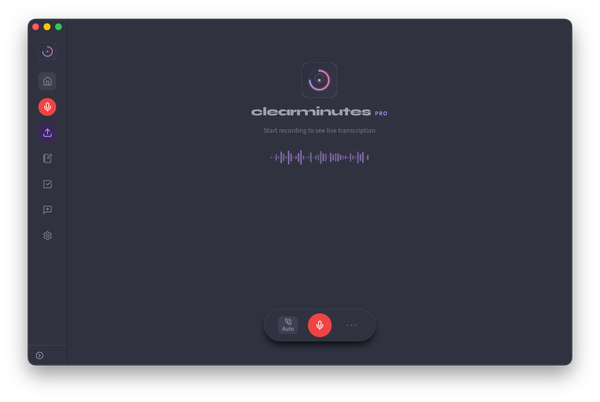
I packaged all of this into Clearminutes – a meeting assistant that uses local Whisper for transcription. No setup required, no command line, just download and run.
Under the hood, Clearminutes uses:
- whisper.cpp (whisper-rs bindings) for transcription
- Metal acceleration on Mac
- CUDA/Vulkan on Windows
- Silero VAD for speech detection
- Ollama for local summarization
If you want local AI without the setup hassle, give it a try.
The Future is Local
We're at an inflection point. Local AI is becoming practical for everyday use. The models are good enough, the hardware is fast enough, and the tools are mature enough.
The question isn't whether to self-host AI. The question is: why would you want your data anywhere else?